One screen for the whole venue
Completions, certificates, failed readings and near miss reports, together on a phone or a desktop.
Book a walkthroughThe problem
You piece it together from group chats, binders and memory.
A failed fridge reading on Tuesday is still a surprise on Friday.
What it does
- Shows who has finished which training.
- Lists certificates and when they expire.
- Flags failed readings and missed records, near miss reports and questions sent to a supervisor.
How it works
Step 1
Open the dashboard
Tiles show what needs attention, staff completion, near miss reports and escalations.
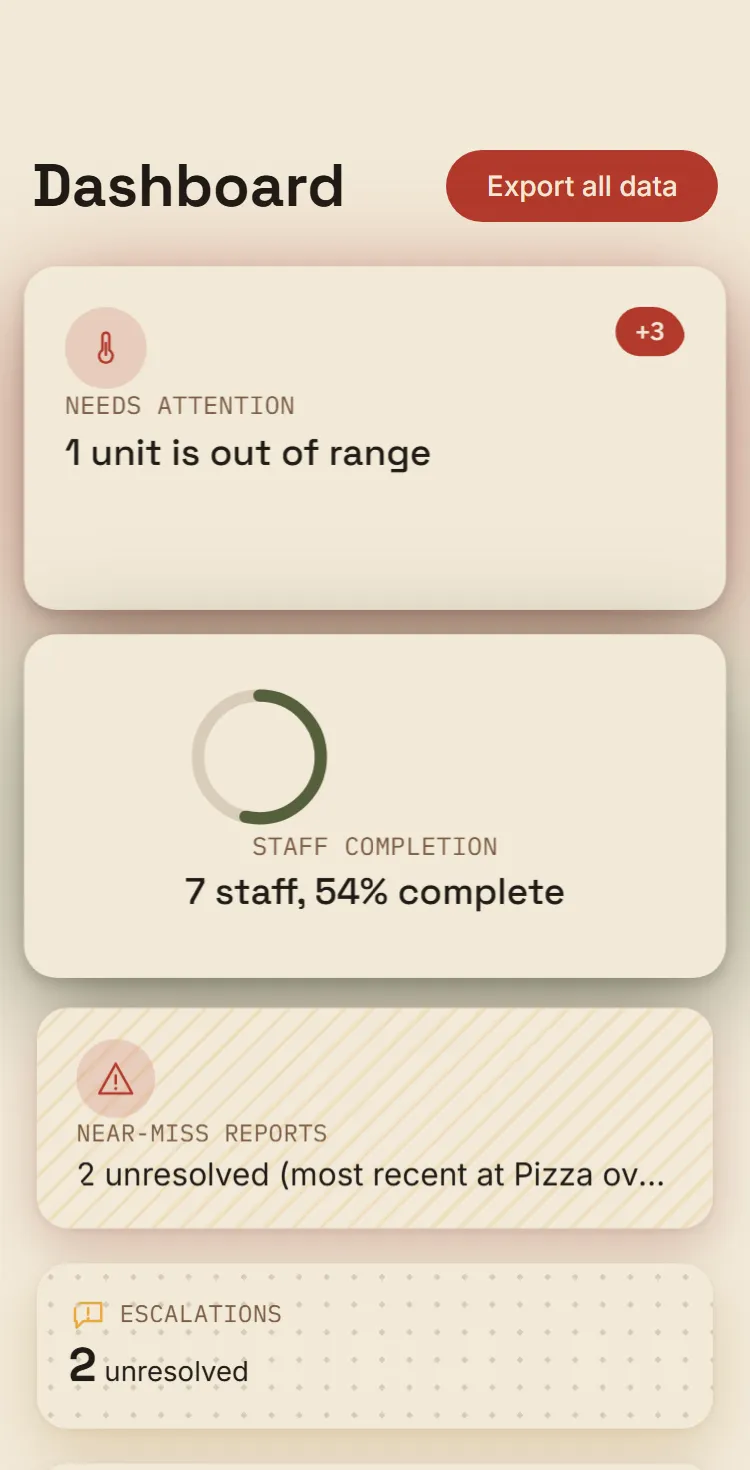
- What needs attention
Step 2
Check who has finished
Completion tracking lists every staff member against every module.
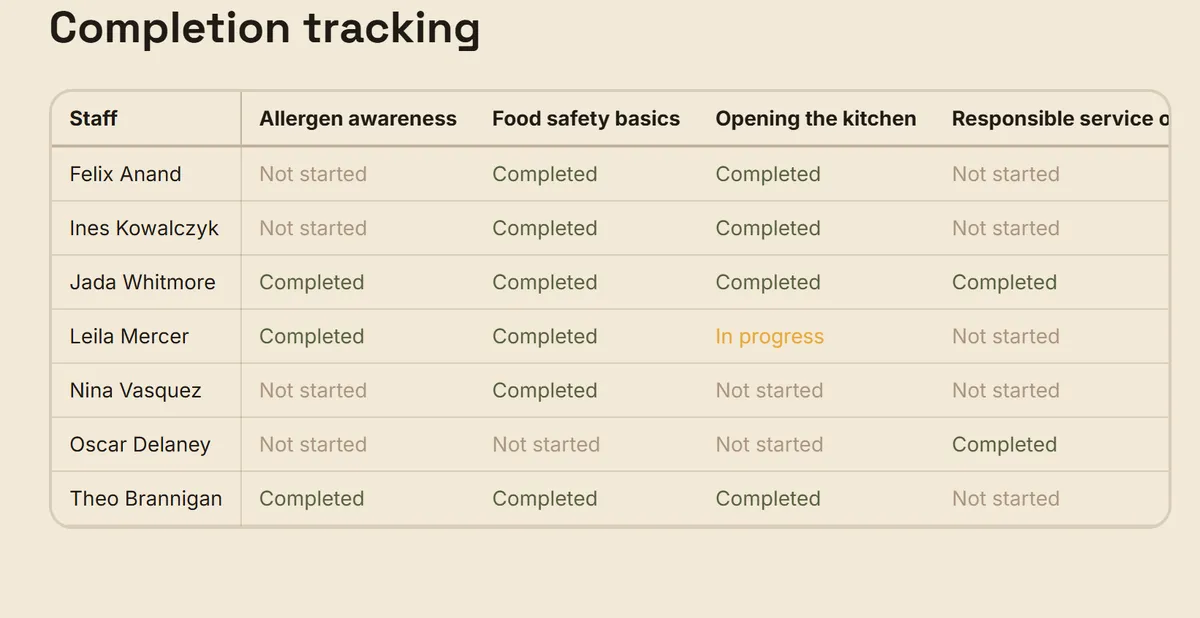
- In progress shows in orange
Step 3
Deal with what staff raise
Near miss reports stay open until you mark them resolved.
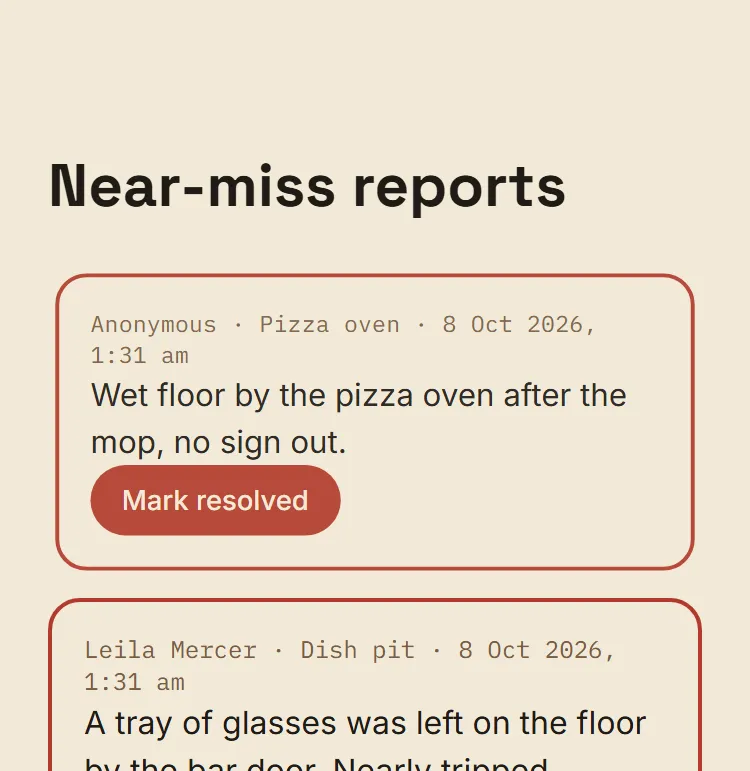
- Mark resolved when it is dealt with
See what is done, overdue and failed
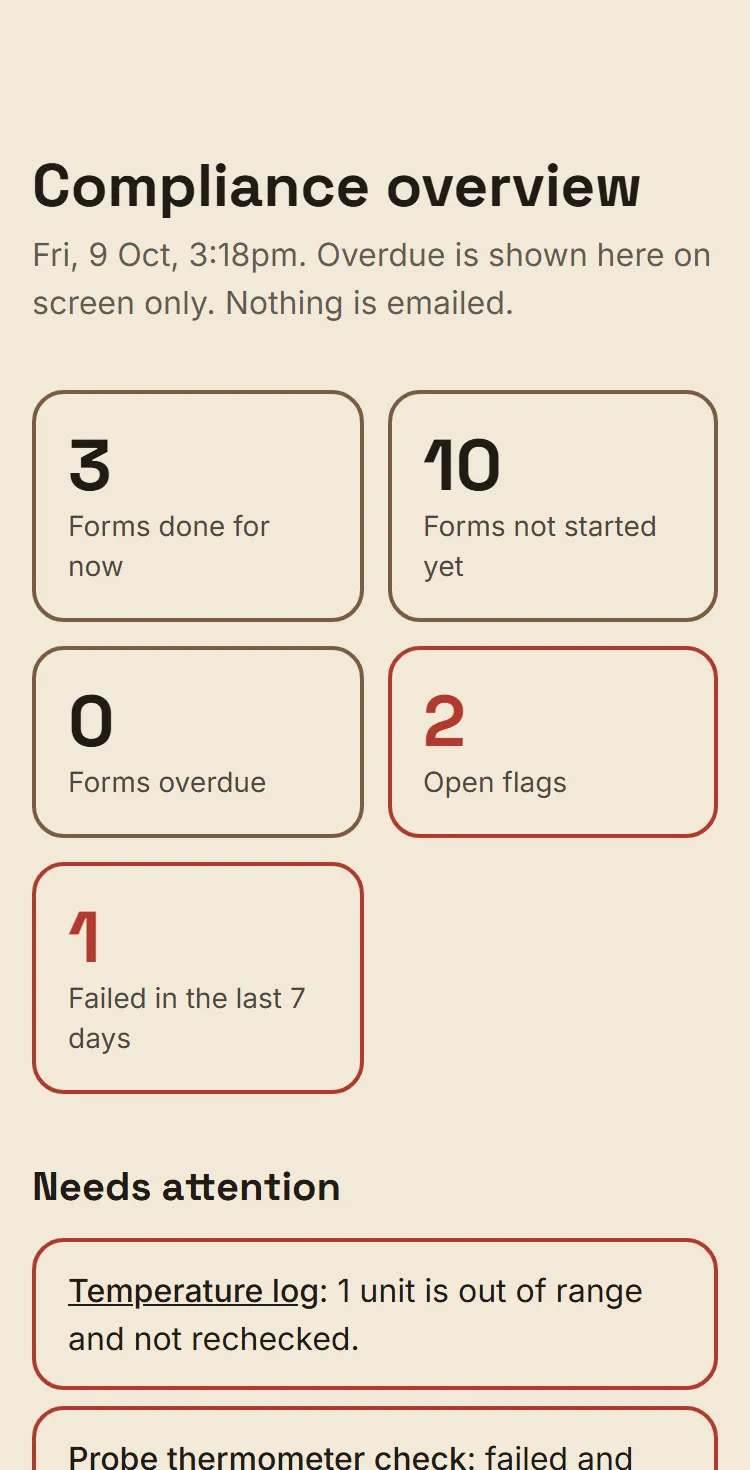
The compliance overview counts forms done, not started, overdue, open flags and failures, and lists what needs attention.
How it helps
For the owner
One place to look at the start of a shift or the end of the week.
For the new hire
A near miss a new hire reports reaches you directly, not a group chat.
Related features
Daily records in a few taps. See how compliance forms work
Checklists and temperature logs on the iPad already in your kitchen.
Certificates and sign off in one place. See how certificates and sign off work
See what is expiring, and keep a record that each hire understood their training.
Questions owners ask
Does Larder replace our rostering tool?
No. Larder is not a rostering tool. It holds staff names, roles, training, certificates and compliance records. It does not hold shifts, hours, days off or pay. It works alongside tools like Tanda or Deputy, and it does not connect to them.
What happens if we cancel?
Larder is month to month with 30 days notice. We export your records for you on request. Access to Ask Larder ends when you cancel.
Want to see it on your own venue?
Book a walkthrough. We'll bring your own SOPs into it.
Book a walkthrough