Daily food safety records in a few taps
Checklists and temperature logs on the iPad already in your kitchen, kept with the time, the person and what was done.
Book a walkthroughThe problem
FSANZ Standard 3.2.2A, in force since December 2023, means many Australian food businesses need to show their food safety controls work. Which parts apply depends on your food business category.
Forms every shift, every day, every week and every month add up, and all of it has to be filed.
What it does
- Groups forms by how often each is due. A checklist where everything passes takes three taps from the hub.
- Asks for a short note when a check or reading fails, and keeps the note with the record.
- Lets owners print records or download them as a CSV file.
How it works
Step 1
Open the forms hub
Forms are grouped by every shift, daily, weekly, monthly and when it happens. Overdue forms show on screen.
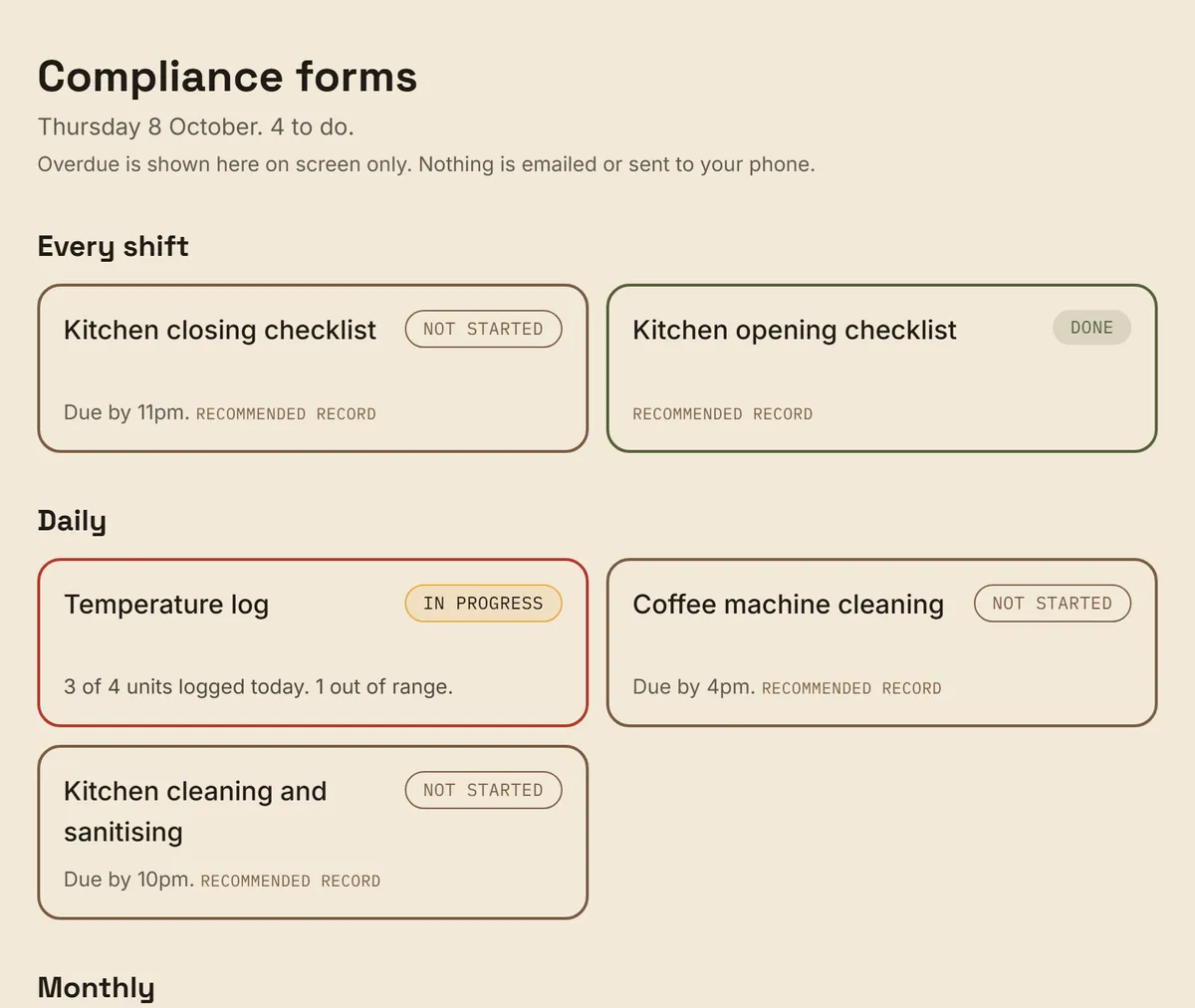
- Grouped by how often a form is due
Step 2
Tap through the checklist
Tap Mark the rest as pass, then fail anything that needs attention. Nothing is typed on a checklist where everything passes.
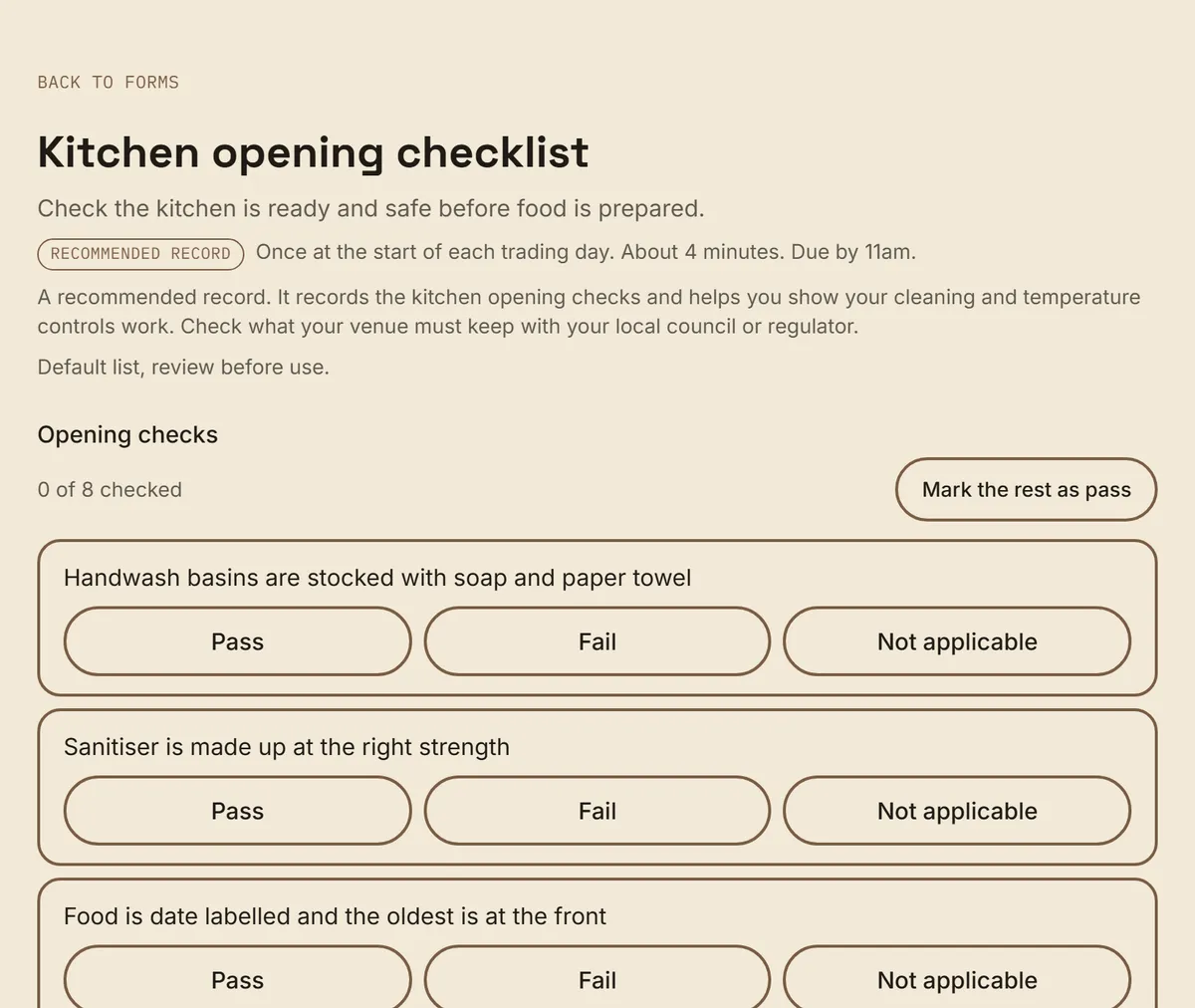
- Mark the rest as pass
Step 3
Add a note when something fails
A failed check asks what was done about it. The record does not save until there is a note.
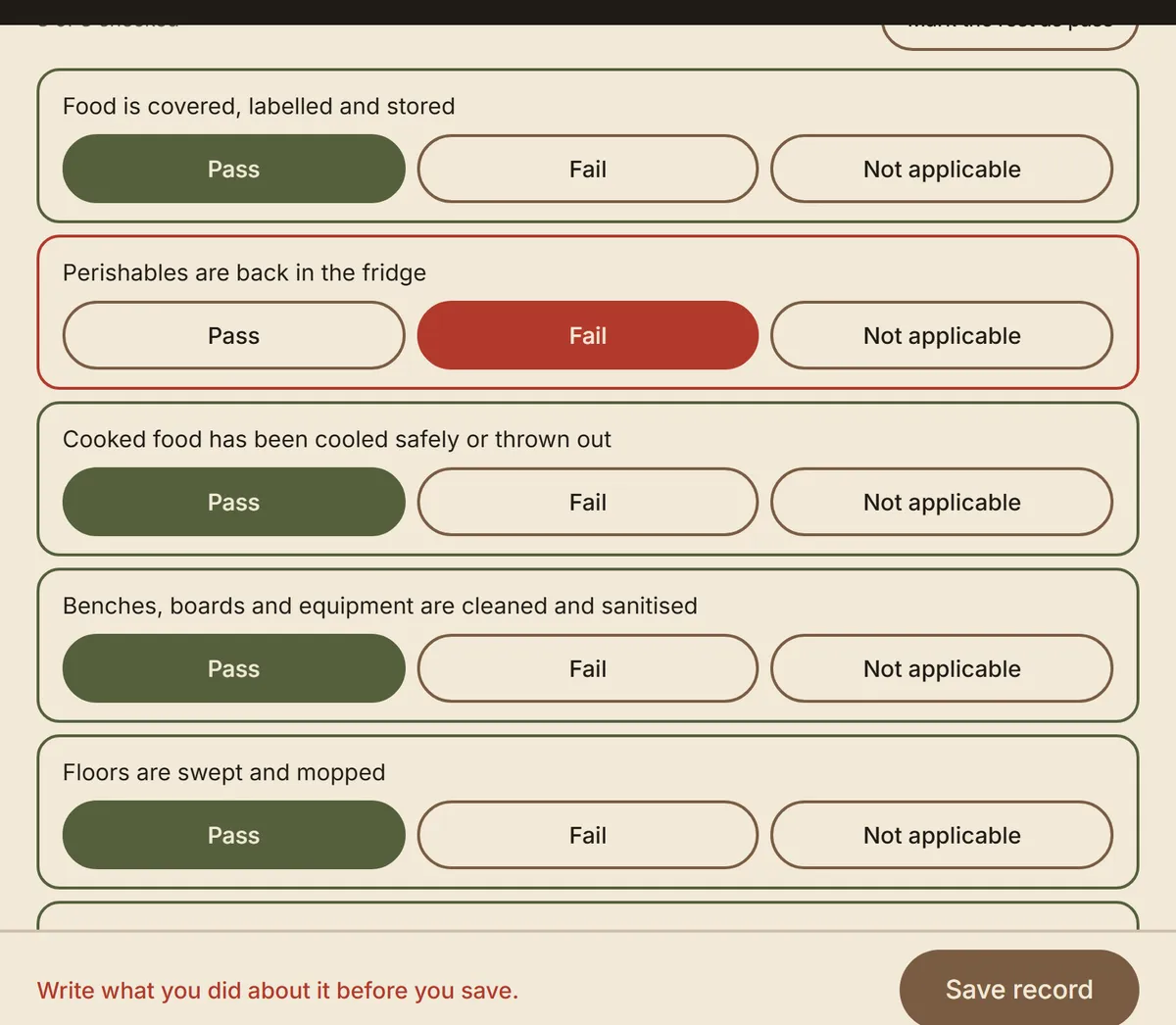
- The failed check
- Save waits for the note
The owner sees the record
Every record keeps the time, the person and what was done about anything that failed. Owners print the records or download a CSV file.
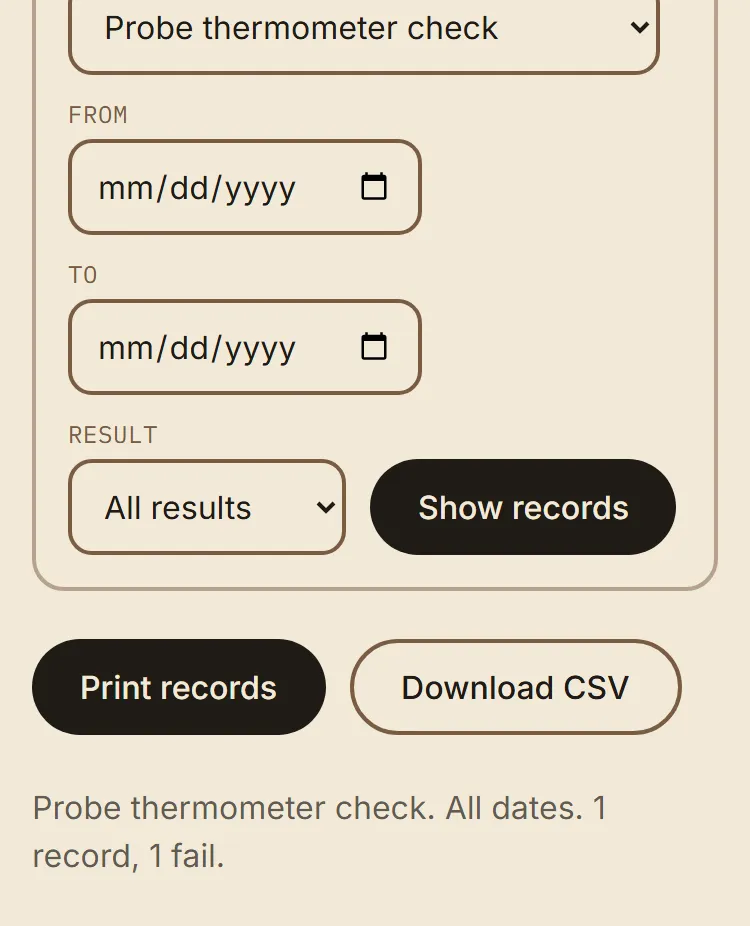
- Print or download a CSV
How it helps
For the owner
Dated records you can print or download, with failed readings flagged on your overview. Which records your venue needs depends on your state, your council and your licence. Each form is a recommended record. Larder helps you keep records. It is not legal advice.
For the new hire
Staff open a form, tap and move on. There is nothing to remember to file later.
Related features
One screen for the whole venue. See what the owner dashboard shows
Completions, certificates, failed readings and near misses together.
Certificates and sign off in one place. See how certificates and sign off work
See what is expiring, and keep a record that each hire understood their training.
Questions owners ask
Do the compliance forms replace my own legal checks?
No. Larder keeps your records and does not give legal advice. Check what your venue must keep with your local council or regulator.
Does Larder send reminders about overdue forms?
Overdue forms show on screen, for staff on the forms hub and for you on the owner overview. Larder does not send reminders or chase forms.
Want to see it on your own venue?
Book a walkthrough. We'll bring your own SOPs into it.
Book a walkthrough